Yes, the very website you are on right now!
I created it with Windsurf and it is hosted on Oracle Cloud always free tier!
It acts as a theme on top of wordpress, which makes it easier to add blog posts, edit etc.
I had to use skills such as docker, command line, ssh keys, messing DNS caching and so much more.
Find out more in the blog post!
Initially, this was meant to be a quick project of creating a custom WordPress website using ChatGPT to show my projects. As I learned ChatGPT’s limitations, this did not go to plan.
The Aim 🎯
- To make a Portfolio website to share my projects
- For the projects to be shown in a timeline
- To use WordPress for easy editing
- Host it for free on Oracle cloud free tier
- Use ChatGPT to make it
What ended up happening 📋
As I started the project, I initially got ChatGPT to make a website, which it did in react. It made a clean, elegant webpage with all the features I requested. The problem came when I asked for a lot and it reached its 1000 line file limit. This was fine as I was pretty much happy with the site at this point.
After this I had to get a server to run WordPress, I used Oracle cloud free tier, which too put it lightly, was painful. I tried to follow a tutorial on their website, and issue after issue arose. Eventually I gave up following the guide and just decided to use docker (which I have previous experience in) and a Cloudflare tunnel and it worked well.
Now to deploy it, where I learned that about you can use themes and plugins. ChatGPT decided to do a hybrid of both and completely failed. I also realised at this point that the whole file ChatGPT wrote was also pretty bad as it was a single file for a whole website. At this point my hope for ChatGPT’s ability to create a website fell, and I decided to start learning full stack web development on Udemy instead.
I was going to create a website after I finished the course, but then I found out about Windsurf which is effectively a code editor with an AI inside. Let me tell you, IT WAS AMAZING! It worked so perfectly and made the website you are on right now as a WordPress theme. It walked me through how to deploy it using a plugin called duplicator and got the site up and running.
If you are planning to do this yourself, here is a step-by-step list of what to do:
- Follow this guide for setting up a free server on Oracle cloud free tier, up to step 2. DON’T make any ingress rules.
- Install docker and portainer on the ubuntu instance (portainer is effectively docker with a nice UI)
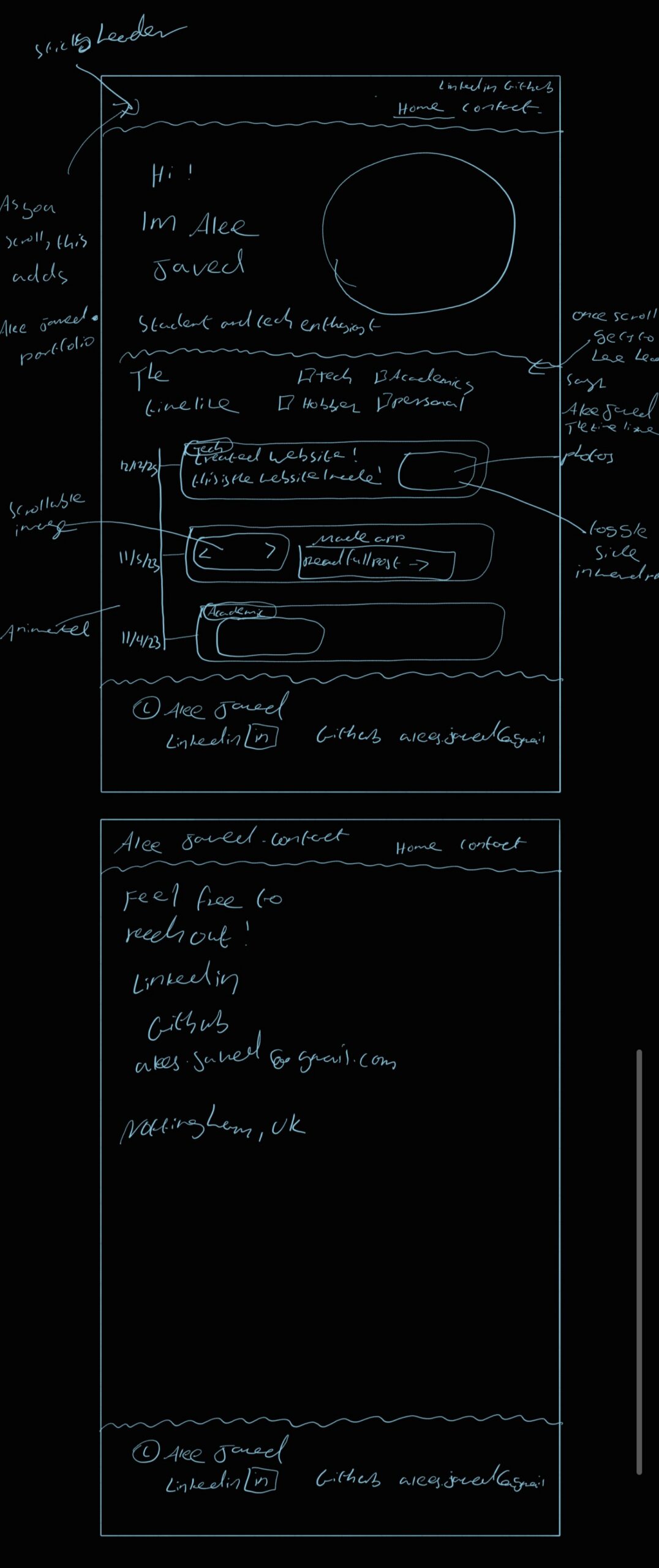
- Get Windsurf to setup a wordpress docker container on your machine and make the theme. Make sure to ask for lots of features to edit inside the wordpress UI so you don’t have to do this again. Also you should have a decent plan what you want your website to look like before starting (it is really good at going on tangents), mine looked like this
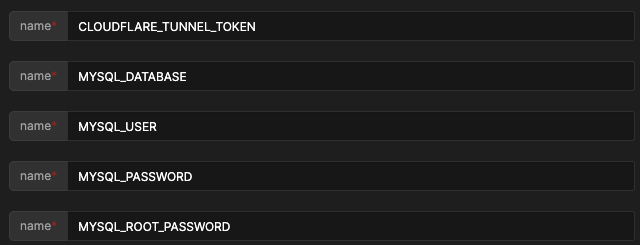
- When you are ready to deploy, get Windsurf to make a docker compose file – or use mine
- When you are ready to deploy, install the duplicator plugin on the local docker container. Get the installer and data file, and FTP it into the ubuntu server (I recommend Filezilla)
- Using docker cp, copy the folder into the
What I learned 📝
- I started to learn full stack web development on Udemy and will continue to do so
- AI is much more powerful than we think it is, and it will change the way we code
- Making a design for anything beforehand with your priorities is extremely useful
- How to use and exit vim, use ssh keys, cloud consoles, DNS caching (which was a huge pain), copy a file in docker to a container the list goes on!
But the question is, considering project was time consuming and difficult, was it worth doing considering website builders?
In my opinion yes: I got a custom theme, I learned a lot of skills I will use in the future, and best of all – I don’t have to pay £10 a month!